What happens when data doesn’t communicate with each other?
A new daycare center is opening its doors. Even before it opens, a great deal of information must be entered: name, address, phone number, email address, and organizational affiliation. Later on, this information will be needed in a wide variety of places—on the website, in the community directory, or in a printed directory.
Data is quickly entered into the administrative system. But how does it get from there to the website, the municipal directory, or the next printed publication? If these systems aren’t connected, information often has to be transferred manually or re-entered. As a result, it can happen that, for example, the new phone number is already listed in one system, while the old one is still shown on the website.
A simple change can quickly turn into a matter of coordination: How can information be reliably delivered exactly where it’s needed?
When a piece of information is needed in multiple places
In church organizations, information is rarely needed for just one purpose. Information about an institution can be used in a wide variety of contexts:
- on the website
- in the community directory
- in printed directories
- in the organizational chart
The information is the same, but it is presented and formatted differently depending on the medium. On the website, for example, contact information takes center stage, while an organizational chart illustrates the organizational structure.
The challenge, therefore, does not lie in the fact that information is used multiple times. On the contrary: that is precisely what makes sense. The key is how the data gets from where it is maintained to where it is needed.
Without this exchange, disparate data sets can quickly arise. A change must be transferred from one system to the next and may also need to be verified. The more frequently information is updated or needed in different places, the greater the effort required to reconcile it.
Interfaces Create Connections
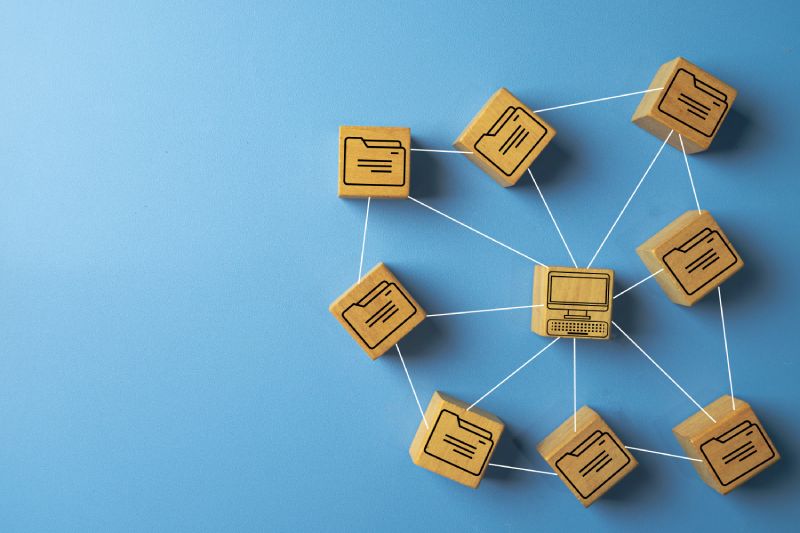
Interfaces can help facilitate the exchange of information between different systems. A change is made where the relevant organizational data is maintained. Other departments can then retrieve the necessary information and use it for their respective displays.
The point is not to connect all systems to one another. Rather, what matters is which data comes from which source and where it is used subsequently.
For example, one system might manage organizational data, while another piece of software handles the website. If the two systems can communicate with each other, the relevant information does not have to be maintained separately in both places.
This ensures a clear flow of information: Data is maintained in a specific location and can then be used wherever it is needed.
Not every system needs all the information
A website requires different information than an organizational chart. A community directory, in turn, focuses on different details than an internal administrative system.
That is why it is not necessary to have the same complete dataset everywhere. What matters is that the right data is available in the right format.
This is especially important when it comes to organizational data. For example, a facility has a name, an address, and contact information. At the same time, it belongs to a specific organizational unit and may be linked to other departments.
If such information is properly linked, different systems can access it without having to build their own separate databases.
What This Means for Digital Government
The more digital solutions an organization uses, the more important it is to have clear rules for handling information. This is because, before systems can be connected to one another, it must be clear where data is maintained and how it is shared.
Therefore, you should ask yourself the following questions:
- Where is specific information maintained?
- Which system is the authoritative source?
- Which departments need this data?
- How are changes propagated from there?
Once these questions are answered, many manual intermediate steps can be avoided. Information doesn’t have to be re-entered over and over again, and changes can reach the departments where they’re needed more quickly.
Digital administration, therefore, does not mean using as many systems as possible. What is important is that the existing systems work together effectively.
When Systems Work Together
The more digital systems are integrated within a government agency, the more important their interoperability becomes. Information should be maintained where it belongs and then made available as easily as possible where it is needed. This ensures that data does not have to be transferred multiple times and remains up to date everywhere.
This is precisely the approach we take with ISIDOR: personal, organizational, and contact data are linked together and can be used for websites, organizational charts, directories, or printed materials. In this way, individual pieces of information are transformed into a cohesive database that can be utilized across various areas of the government agency.
Would you like to know how this can be implemented in your church administration? Please feel free to contact us. Together, we’ll explore the options ISIDOR offers for this.